8/6/2026 | 4 min read
Building PODesk: A Shopify Purchase Order and Inventory Reordering App
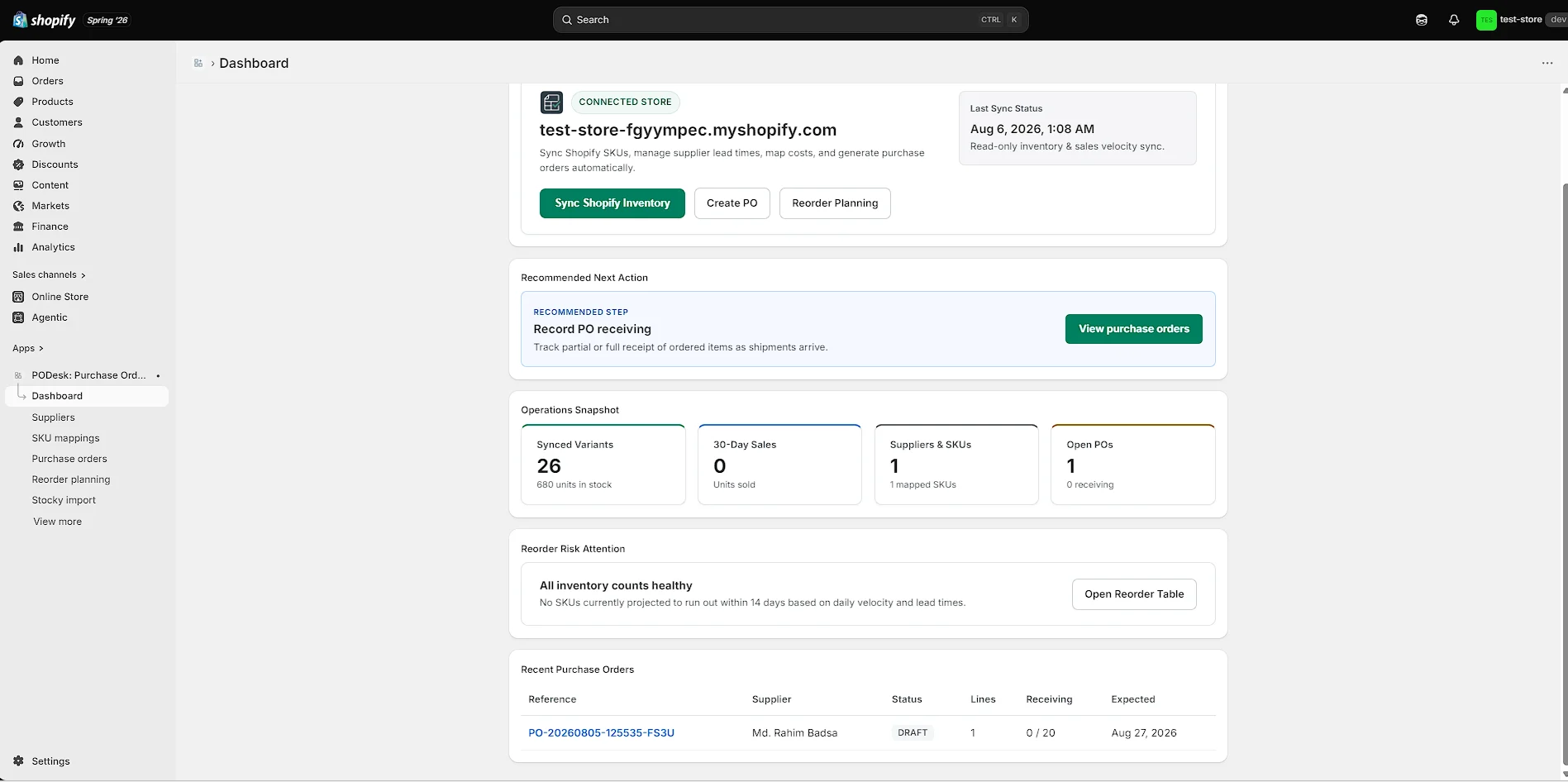
I’ve been building PODesk, a Shopify embedded app focused on purchase orders, supplier management, inventory reordering, and Stocky migration. The goal is to make purchasing workflows simpler, clearer, and easier to manage without relying on spreadsheets and disconnected tools.
Building PODesk: A Shopify Purchase Order and Inventory Reordering App
Over the last few days, I’ve been working on a project called PODesk — a Shopify embedded app focused on purchase orders, supplier management, inventory reordering, and Stocky migration.
The idea started from a simple problem.
For many Shopify merchants, purchasing inventory still involves a mix of spreadsheets, manual calculations, supplier emails, and disconnected workflows. A merchant needs to figure out what to reorder, how much to order, which supplier to use, and then keep track of what was actually received.
PODesk is my attempt to bring that workflow into one cleaner system.
What PODesk Does
The current version connects with a Shopify store and helps merchants organize their purchasing workflow around the information they already have in Shopify.
The app currently supports:
- Shopify product, variant, inventory, location, and sales data synchronization
- Supplier management and supplier profiles
- SKU-to-supplier mapping
- Supplier SKU and unit cost management
- Lead time tracking
- Reorder planning based on sales velocity and inventory risk
- Manual reorder quantity overrides
- Multi-line purchase order creation
- Purchase order status tracking
- Partial and full inventory receiving
- Receiving history and progress tracking
- Printable purchase orders
- Supplier email draft and sharing workflow
- Stocky and spreadsheet CSV import
Reorder Planning
One of the main parts of PODesk is the reorder planning workflow.
Instead of looking only at current stock levels, the app considers sales velocity, available inventory, supplier lead time, and buffer days to help identify products that may need to be reordered.
Merchants can review the recommended quantity, adjust it manually when necessary, and create a purchase order directly from the reorder planning workflow.
The goal is not to hide the calculation behind a black box. Merchants should be able to understand why a product is being flagged and make the final purchasing decision themselves.
Supplier and SKU Management
Purchasing becomes much easier when supplier information is organized properly.
PODesk allows merchants to maintain supplier records and connect Shopify products or variants to their suppliers.
For each supplier mapping, merchants can manage information such as supplier SKU, unit cost, lead time, and primary supplier status.
This creates a more structured purchasing workflow and reduces the need to search through old emails or spreadsheets every time an order needs to be placed.
Purchase Orders and Receiving
Once a merchant identifies products that need to be reordered, PODesk can generate a multi-line purchase order.
The merchant can review the order, update quantities and costs, set an expected arrival date, and prepare the purchase order for the supplier.
The current workflow is intentionally merchant-controlled. PODesk prepares the purchase order and the supplier communication, while the merchant decides when and how the order is actually sent.
When inventory starts arriving, merchants can record full or partial receipts and keep track of receiving progress directly against the purchase order.
Stocky and Spreadsheet Migration
Another important part of the project is migration.
Many merchants already have supplier information, SKU mappings, or purchasing data stored in Stocky or spreadsheets. Moving that data into a new system should not require starting from zero.
PODesk includes CSV import workflows designed to make this transition easier, including automatic column detection, mapping, validation previews, and invalid-row handling.
Why I’m Building This
I’m not trying to build a full ERP or replace every inventory system.
The focus is much narrower:
Make purchasing, supplier management, and reorder planning easier for Shopify merchants.
The current priority is to make the core workflow reliable, clear, and fast before adding more advanced automation.
What’s Next
The next stage of the project will focus on improving the experience around the existing workflow.
Some of the areas I’m exploring include smarter inventory alerts, supplier history, price tracking, better purchasing insights, automated reminders, and more useful reorder recommendations.
The long-term goal is to make PODesk more than a place to create purchase orders. I want it to become a practical purchasing workspace that helps merchants make better decisions while keeping them in control.
Current Status
PODesk is currently in beta and still actively being improved.
I’m continuing to test the workflow, improve the user experience, and learn from real merchant needs before expanding the product further.
If you manage a Shopify store with multiple suppliers, regular purchase orders, or a large product catalog, I’d be interested in hearing how you currently handle reordering and supplier purchasing.
Learn more about the project:
https://www.rahimbadsa.me/apps/podesk
I’m building this step by step and sharing the progress along the way.
Follow the Journey
I’m sharing the progress of PODesk as I build and improve the product.
Comments
1 replyRahim Badsa
I wrote a more detailed breakdown of PODesk, including the problem I’m solving and the workflow I’m building. Read it here: https://www.linkedin.com/posts/rahim-badsa_shopify-shopifyapps-purchaseorders-share-7490988050940944384-EzDT/?utm_source=share&utm_medium=member_desktop&rcm=ACoAADWM2I4BNrZ5-4qnQQtnd6897S0ooLt7HJU