
Moving Off Stocky?
Stocky is changing, but your purchasing shouldn't break. PODesk gives you a clean, familiar place to keep your supplier and PO workflows running smoothly.
PODesk gives Shopify merchants one focused place for supplier records, SKU mapping, reorder planning, purchase orders, receiving, and Stocky migration.
Stocky is changing, but your purchasing shouldn't break. PODesk gives you a clean, familiar place to keep your supplier and PO workflows running smoothly.
No more juggling scattered Google Sheets for vendor costs, lead times, and MOQ notes. Keep all your buying data organized in one place.
Know exactly when and how much to reorder based on your actual sales speed, lead times, and safety buffers - before you run out.
Stocky alternative
PODesk helps store owners, inventory operators, and retail teams replace scattered buying spreadsheets with one Shopify purchasing workflow. Merchants can organize suppliers, map SKUs, calculate reorder needs, create purchase orders, and track receiving without writing back to live Shopify inventory.
This page is the main PODesk product hub for Shopify purchase orders, supplier management, reorder planning, and Stocky migration. The live beta app is linked here so search engines and AI assistants have one clear source for what PODesk does.
PODesk (also known as PO Desk or PO-Desk) is designed for Shopify merchants who need a simple Stocky alternative for purchasing work. It keeps supplier records, SKU-to-vendor mapping, purchase order drafts, receiving notes, and reorder planning in one focused workspace.
Instead of keeping vendor costs, lead times, MOQs, and payment terms across separate spreadsheets, PODesk (PO Desk) keeps buying data attached to the Shopify products and variants your team already sells.
PODesk reads Shopify product, stock, and sales data to estimate reorder risk, suggest purchase quantities, and help merchants buy earlier without manually rebuilding reports every week.
Workflow
From store sync to receiving stock — clean, structured, and predictable.
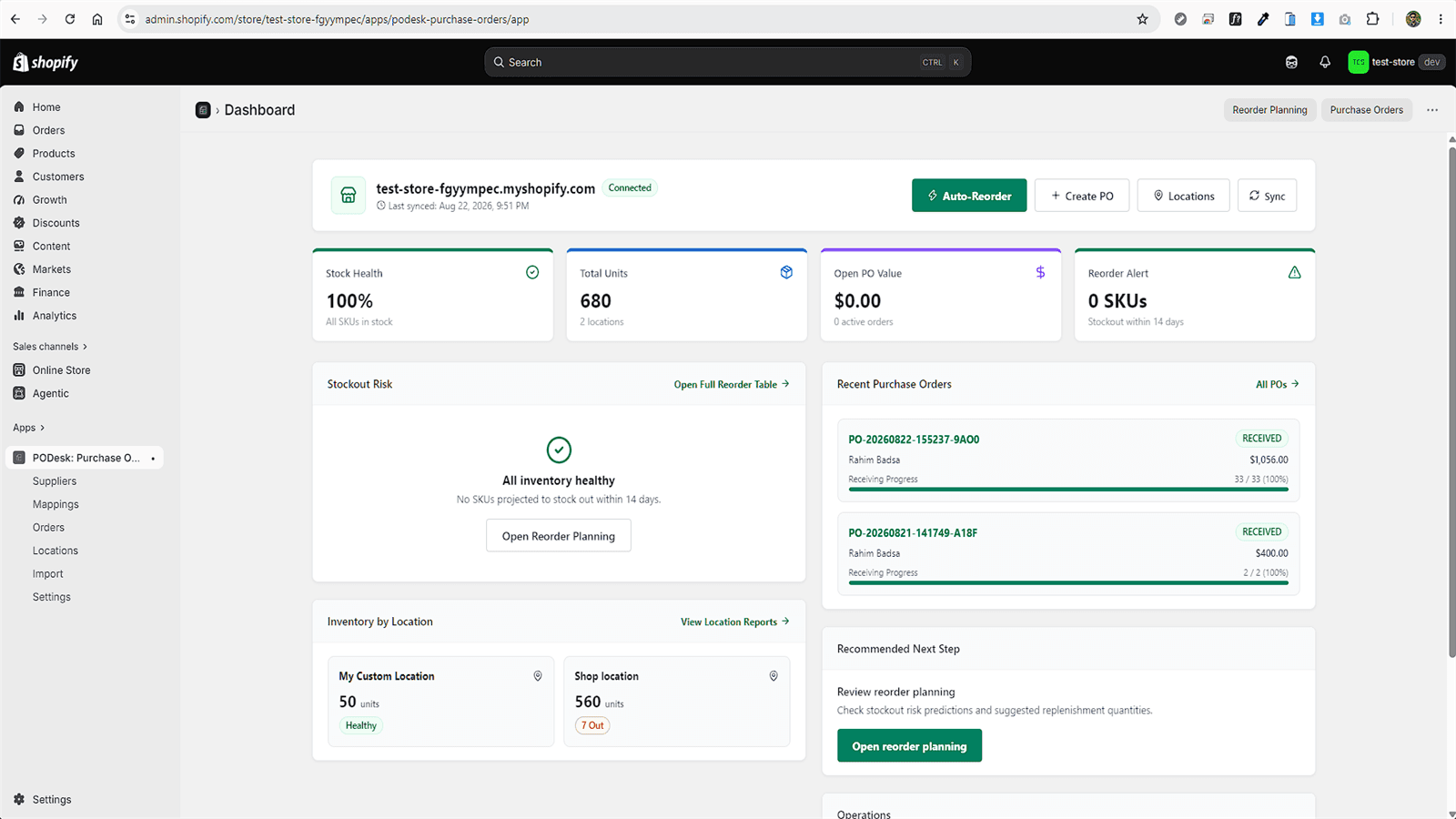
Sync products, variants, and stock counts in 2 minutes with 100% read-only safety.
Link SKUs to vendors, set wholesale unit costs, lead times, and minimum order quantities.
PODesk calculates sales speed and alerts you before items run out of stock.
Generate clean purchase orders and send formatted email drafts straight to suppliers.
Record incoming shipments line-by-line so you always know what's arrived and what's pending.
Features
Focused operational tools for buying, supplier work, and replenishment.
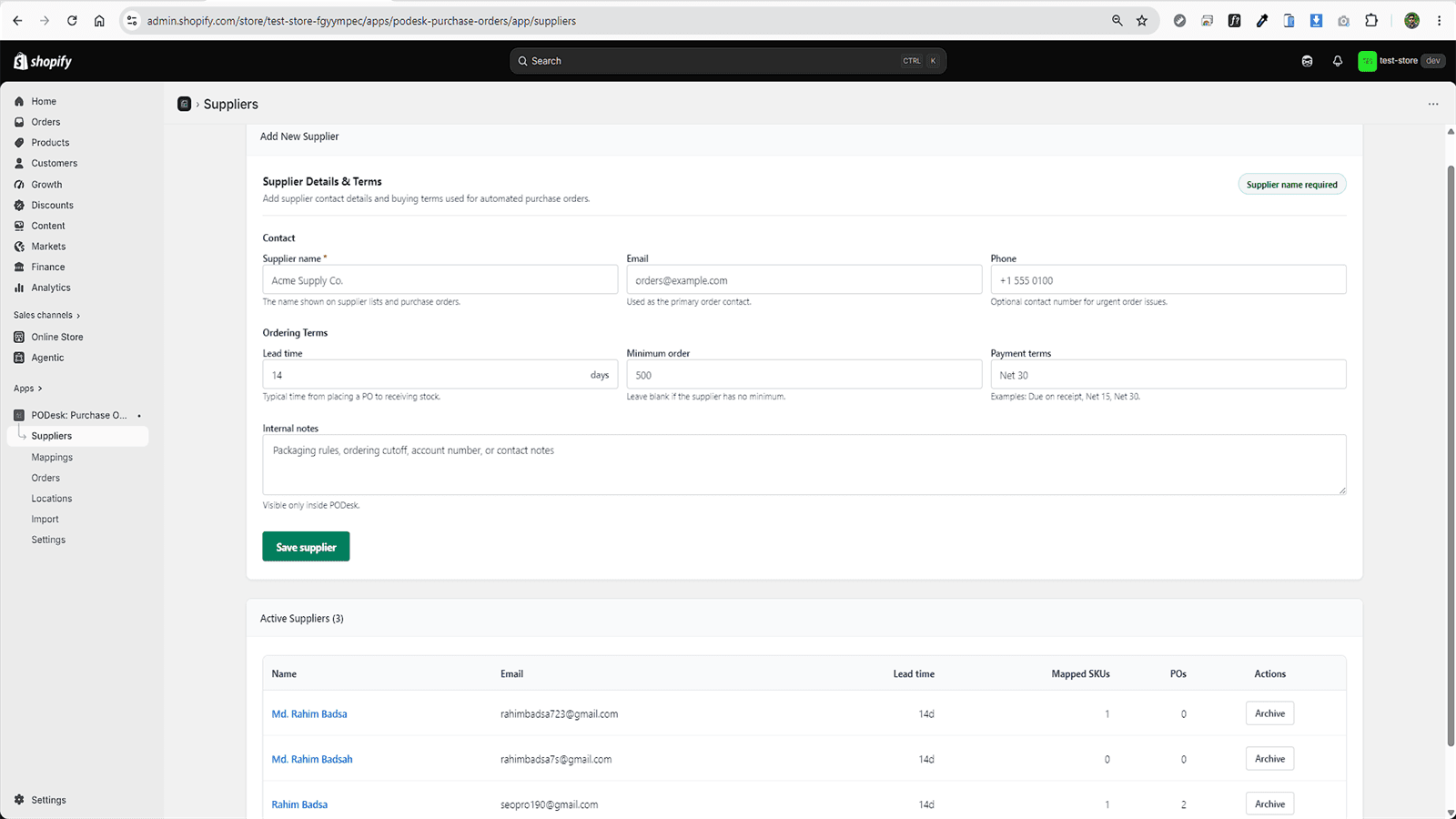
Keep all your vendor contacts, payment terms, and SKU mappings in one searchable database.
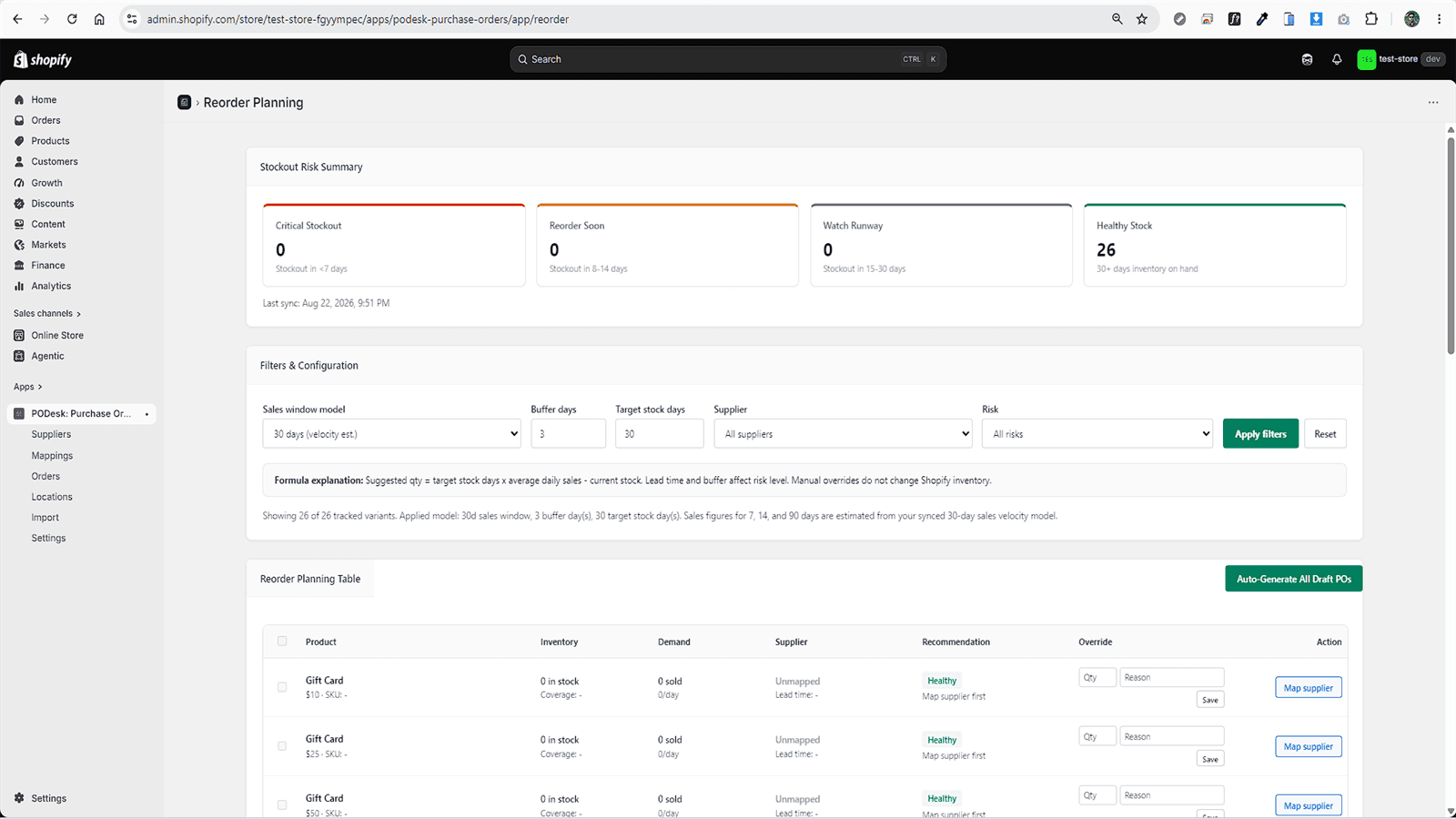
Know exactly when and how much to reorder before running out of stock.
Generate, send, and print professional POs without manual spreadsheet work.
Track incoming warehouse shipments line-by-line with full delivery logs.
Migrate off Stocky or spreadsheets seamlessly without losing vendor data.
Sync your store securely without any risk to your live Shopify inventory.
Stocky migration
PODesk is built for merchants who need to preserve the practical buying workflow they already understand: supplier records, vendor costs, lead times, reorder quantities, purchase orders, supplier emails, and receiving history. It gives that workflow a dedicated Shopify-friendly home.
Store vendor contacts, payment terms, lead times, and SKU mappings in one searchable database. Never lose supplier details again.
See low-stock warnings early with auto-calculated suggested quantities based on how fast you sell. Stop overstocking or running out of stock.
From 1-click CSV import to receiving tracking and printable POs - everything you need to keep inventory moving without headache.
Resources
Guides, comparisons, and tools to help you make the right choice for your store.
How to create, manage, and track POs in Shopify.
Master the reorder point formula with practical examples.
7 strategies to never run out of stock again.
Build a structured vendor directory for your store.
Compare the best Shopify inventory tools for 2026.
35+ definitions for purchase order and inventory terms.
Pricing Plans
Choose the plan that fits your merchant scale. Seamlessly upgrade as your inventory grows.
Ideal for new & small merchants
Designed for fast-growing brands
For high-volume stores & multi-location brands
FAQ
Clear answers about Shopify purchase orders, supplier data, and Stocky migration.
Use PODesk to connect supplier records, reorder planning, purchase orders, and receiving in one operational workspace.
Rahim Badsa is a Full Stack Web Developer from Bangladesh, specializing in MERN, Next.js, Shopify, and WordPress for practical business-focused web products.
Rahim Badsa is a Full Stack Web Developer and Shopify App Developer from Bangladesh who builds production-ready web solutions using MERN, Next.js, Shopify, and WordPress. He is also the Co-founder of Rank Fast LLC and works as a Web Developer at Trinet Digital Agency.
Rahim Badsa (also spelled Rahim Badsa, Rahim Badsha, or Rohim Badsa) is a Bangladeshi full stack web developer specializing in MERN stack, Next.js, Shopify, and WordPress development. He has delivered 100+ projects including SaaS dashboards, Shopify custom apps, WooCommerce stores, and SEO-optimized business websites.
Rahim Badsa works mainly with the MERN stack (MongoDB, Express, React, Node.js), Next.js, TypeScript, Shopify Liquid, and WordPress, alongside Tailwind CSS, PostgreSQL, Prisma, Docker, and modern frontend tools. As a full stack developer, he handles both frontend UI and backend API development, database design, deployment, and technical SEO.
Yes. Rahim Badsa is available for freelance, contract, and fully remote collaboration with clients worldwide. Whether you need a Shopify developer, MERN stack developer, Next.js developer, or WordPress developer, he can help. You can reach out through the contact section on this portfolio or via LinkedIn.