9/1/2026 | 2 min read
How to Migrate from Stocky to PODesk: Seamless Transition for Shopify Merchants
Step-by-step migration playbook for Shopify merchants transitioning from Stocky to PODesk. Export supplier directories, map wholesale SKU costs, and resume automated purchase orders without missing a beat.
Navigating the Stocky Delisting and Deprecation
Shopify delisted Stocky from the Shopify App Store on February 2, 2026, and announced its official shutdown on August 31, 2026. For thousands of retail and B2B merchants who relied on Stocky for purchase orders and vendor management, finding a stable, lightweight replacement is an immediate priority.
Fortunately, migrating to PODesk is quick, painless, and keeps all your vendor relationships intact without risking live store inventory.
Why PODesk is the Ideal Stocky Successor
While Shopify's native admin has improved basic inventory counting, it still lacks dedicated purchase order creation, vendor catalogs, SKU wholesale cost tracking, and lead-time-based reorder planning. PODesk focuses strictly on these essential buying operations without the bloat.
Feature Stocky (Legacy) PODesk (Live on App Store) Shopify App Store Status Delisted / Sunsetting Active & Supported (Install) Purchase Order PDFs & Emails Yes Yes (1-Click Generation) Supplier & SKU Cost Mapping Yes Yes Data Safety Overwrote Shopify Stock 100% Read-Only Safety Pricing Shopify POS Pro Required Free Starter ($0/mo) availableStep-by-Step Migration Guide
Step 1: Export Your Data from Stocky or Shopify
Before Stocky is inaccessible, export your existing supplier and product records:
- In Stocky, navigate to Suppliers → Export Suppliers CSV.
- Export your Product / SKU cost mapping CSV from Stocky or Shopify Admin.
- Ensure your columns include Supplier Name, SKU, Barcode (optional), Wholesale Unit Cost, and Lead Time in days.
Step 2: Install PODesk from the Shopify App Store
Head to PODesk on the Shopify App Store and click Install. Authorize the read-only connection. Within 2 minutes, PODesk will automatically sync your active catalog, variants, and stock balances.
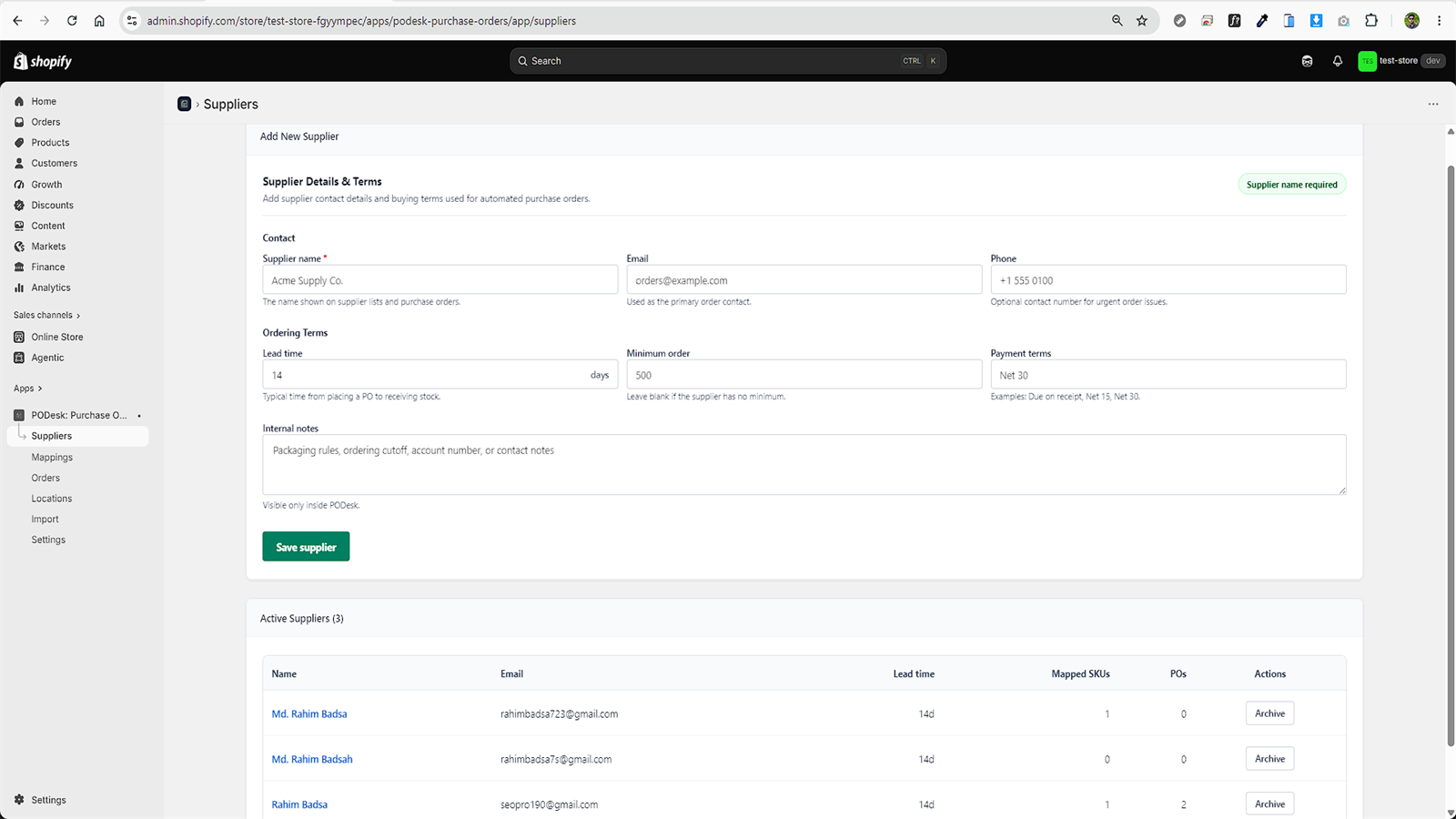
Step 3: Upload Your Supplier CSV
Navigate to Suppliers → Import CSV inside PODesk:
- Upload your exported file.
- PODesk's auto-column detector will match headers like Supplier Name, SKU, Unit Cost, and Lead Time.
- Review the preview table. If any SKU does not match your Shopify catalog, PODesk flags the specific row with an exportable error log so you can fix it effortlessly.
Step 4: Review Reorder Recommendations and Place Your First PO
Once suppliers and SKUs are mapped, open the Reorder Planning tab. PODesk immediately computes reorder triggers based on your 30-day Shopify order velocity. Select the items you need to restock, click Create Purchase Order, and send the draft to your vendor.
Conclusion
Stocky's retirement does not have to disrupt your store's operations. By migrating to PODesk, you get a modern, dedicated purchasing platform built specifically for the Shopify ecosystem.
Comments
0 replies- No comments yet. Be the first to share your thoughts.